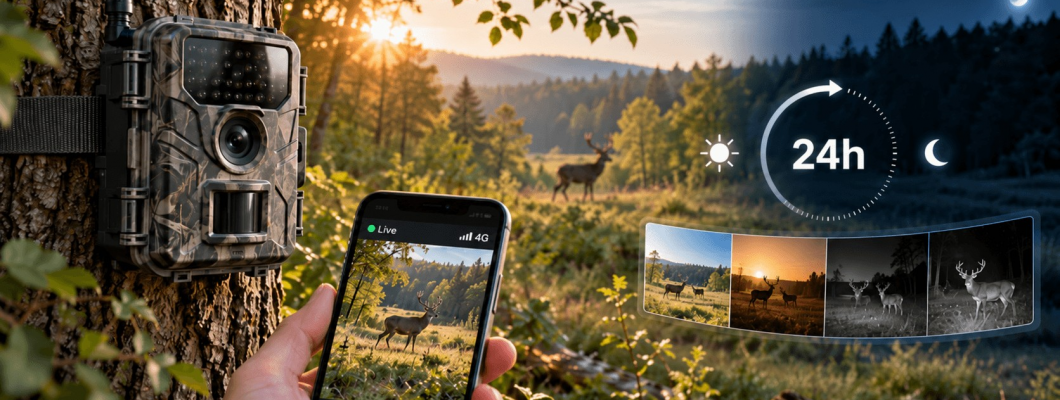
SUNTEK HC960Ultra-Li in Practice: A 24-Hour Test for Reliable Recordings and Live View
Do not leave a trail camera unattended for several weeks until you know how mobile reception, motion detection, night illumination, storage and battery performance behave at the actual installation site. A 24-hour field test can reveal most problems before they cost you important footage.
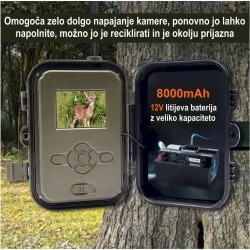
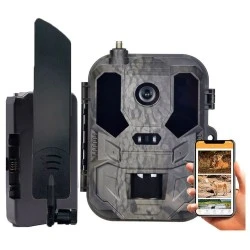
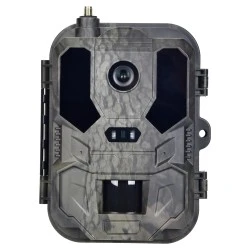
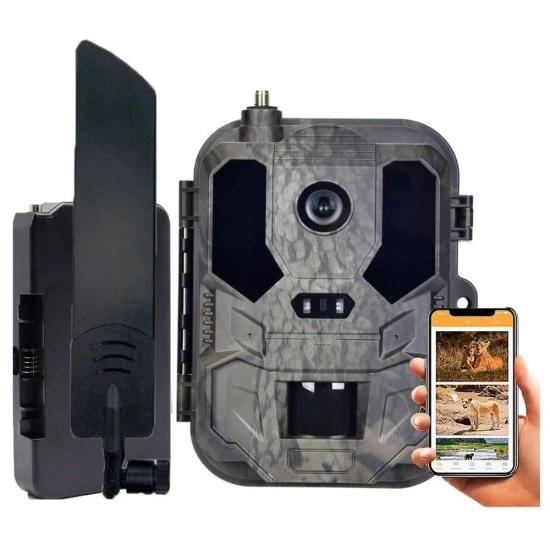
This guide is prepared for the SUNTEK HC960Ultra-Li, a 4G camera with app access, Live View, 940nm infrared illumination, an 8000mAh Li-ion battery and an included 64GB memory card.
1. Prepare the camera before going into the field
Power and storage
- Fully charge the supplied 8000mAh battery before the first test.
- Insert the supplied 64GB card and format it in the camera if the menu provides this option.
- Make a manual test recording and confirm that the resulting file can be opened.
- Set the correct date and time so that recorded events can be placed on an accurate timeline.
SIM card and application
- The SIM card needs an active data plan and suitable coverage at the location.
- Pair the camera with the application at home, where settings can be checked calmly.
- If the device supports a change of password or access code, do not retain a factory default.
- Confirm that the camera records locally even when the application is not open.
2. Check reception at the exact mounting point
Good reception near a vehicle does not guarantee good reception on a tree several metres away. Woodland, terrain, buildings and the camera’s exact position can affect the connection. Temporarily mount the camera first, then test its connection and Live View.
- If the connection is unstable, move the camera a few metres or change its mounting height.
- Do not judge reception from one successful Live View session; repeat the test several times.
- A weak signal may slow transfers, increase energy use and cause notification failures.
- Local memory-card recording remains important even when remote functions are enabled.
3. Aim the camera and test the detection area
Position the camera approximately level with the expected subject’s body. Keep the field of view clear and avoid pointing directly towards sunrise or sunset. Grass, thin branches and bushes close to the sensor can create numerous empty triggers when moved by wind.
- Walk through the left, centre and right sections of the intended detection area.
- Cross the field of view sideways as well as approaching the camera directly.
- Repeat the test both close to the camera and at the far edge of the required area.
- After each group, check framing, detail, event time and the actual trigger point.
- If only the back of the subject is captured, aim the camera farther along the approach route.
Suggested 24-hour commissioning plan
| Time | Test | Required result |
|---|---|---|
| 0–30 minutes | Battery, card, SIM, app, date and time | The camera saves a test file and establishes the expected connection. |
| 30–60 minutes | Temporary mounting and reception at the final location | The connection remains stable over several consecutive attempts. |
| 1–3 hours | Crossing and approaching the detection area | Useful framing without major blind areas. |
| After dark | Night test and inspection for reflective objects | The subject is visible without nearby branches washing out the image. |
| Next morning | Review events, card, battery and data use | The trigger count is plausible and recordings are useful. |
| After 24 hours | Final settings and permanent mounting | The camera is ready for a longer unattended period. |
4. Match the settings to the real task
| Use case | Practical approach | Common mistake |
|---|---|---|
| Wildlife trail | Combine photographs with shorter video and test movement across the frame. | A narrow view or aiming directly along the path. |
| Feeding area | Use a longer interval if the camera produces many nearly identical events. | Thousands of duplicates, increased storage use and unnecessary battery drain. |
| Remote property | Use notifications and Live View purposefully instead of repeatedly checking the stream. | Frequent remote sessions over a weak signal increase energy consumption. |
| Equipment or worksite | Restrict the frame and establish the legal basis, notice, retention and access controls. | Capturing a public route or neighbouring land without proper assessment. |
5. Diagnosing common results
Many empty recordings
Remove moving grass and branches, look for strong heat sources and narrow the observed area. Change sensor sensitivity only after inspecting the physical location.
The subject enters too late
Turn the camera slightly along the direction of travel. This gives the system more time to detect movement and record the subject within the useful part of the frame.
Night images are washed out or dark
Remove close branches, signs and bright surfaces that reflect infrared light. Also check whether the target remains within the useful night-illumination area.
The battery drains too quickly
Review the number of triggers, Live View use, night recording, temperature and mobile reception. Data transmission can require more energy where reception is poor.
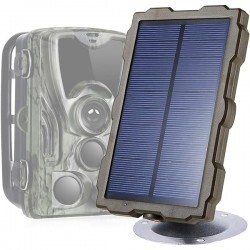
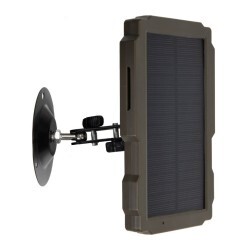
6. Battery planning and the SP08 solar module
The operating time of an 8000mAh battery is not one guaranteed number. It depends on temperature, event frequency, video duration, infrared use, mobile reception and the frequency of Live View sessions.
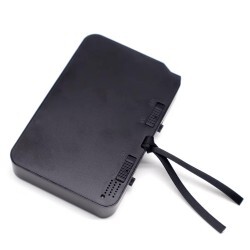
A spare SUNTEK LI940 8000mAh battery can be useful for extended field operation. Before ordering, confirm the exact camera version, battery shape and contacts.
7. Privacy and responsible positioning
Aim the camera so that it does not unnecessarily capture public paths, neighbouring land or areas regularly used by people. If identifiable individuals may be recorded, assess the legal basis, purpose, necessity, retention period, access restrictions and notification.
Live viewing may itself constitute video surveillance when it enables identifiable people to be observed. Check the applicable Slovenian data-protection requirements before using a camera on a public or shared area.
Frequently asked questions
Will the camera work without mobile reception?
Local recording and remote application functions are separate. Remote transfer, notifications and Live View require a compatible mobile connection, an active data plan and adequate reception. Test both modes before leaving the camera unattended.
Why perform a 24-hour test?
One full cycle allows you to check daylight images, changing light, night illumination, false triggers, temperature effects and mobile stability. A difficult location may justify a longer trial.
Does the highest resolution always provide the best result?
Not necessarily. Larger files use more storage, take longer to transfer and may consume more mobile data. Select the quality that reveals the necessary detail without placing unnecessary load on the system.
How often should the camera be inspected?
After commissioning, choose an interval based on event volume, signal quality, temperature, battery state and the importance of the location. Recheck alignment and clean the lens after storms, strong wind or changes around the mounting point.
Start with a capable 4G trail camera
The SUNTEK HC960Ultra-Li combines local recording, mobile connectivity and Live View. Careful positioning and a one-day field test determine whether those functions produce genuinely useful recordings at your chosen site.
View the HC960Ultra-Li View the LI940 spare battery